PURCHASES & EXPENSES · OCR
Your supplier invoices and expense reports, captured and validated.
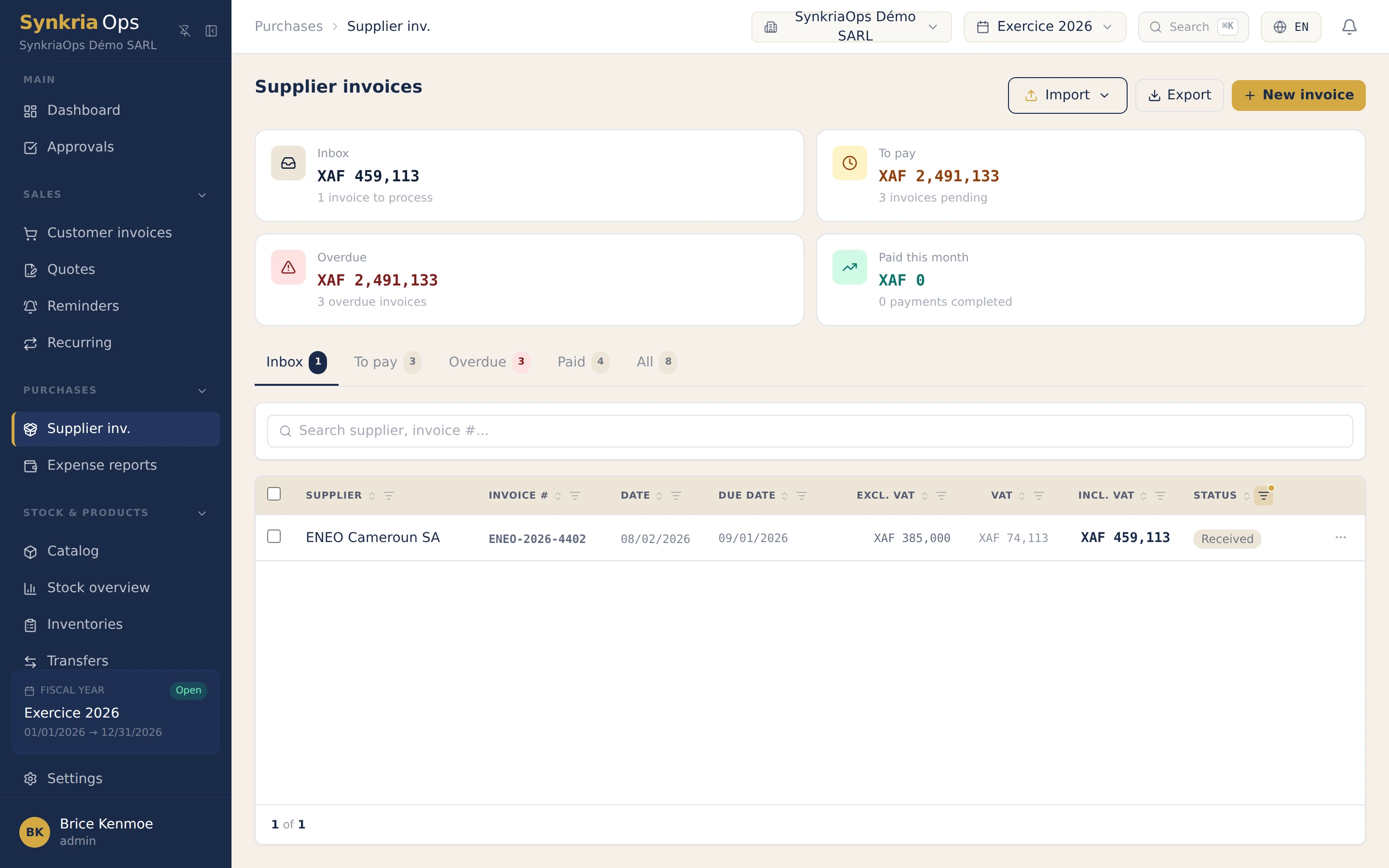
Photograph an invoice and OCR keys it in for you. Validate and pay in bulk, follow your expense reports from submission to reimbursement. The expense enters the books without re-keying.
- SYSCOHADA revised 2019
- 17 OHADA countries
- Native XAF & XOF
- Bank + Mobile Money statement import
- Native FR & EN
- Financial statements export
Handling purchases by hand means re-keying every invoice, ticking amounts, chasing validations and waiting on expense-report reimbursements. SynkriaOps flips the gesture: you capture, OCR keys in, and the expense arrives already pre-allocated in a draft ready to validate. One funnel, from photo to entry.
Why run your purchases on SynkriaOps?
Four concrete reasons, beyond a plain invoice reader.
Capture instead of key in
Validate and pay in bulk
One single import center
Isolation and integrity
From capture to payment, one thread
The document enters once, by photo or file; validation, payment and reimbursement follow.
Supplier invoices (faceted CRM)
Bulk validation and payment
Synchronous and async OCR
Unified import center
Excel/CSV spreadsheet import
Expense reports
From photo to entry, without re-keying.
A photographed invoice becomes an accounting voucher ready to validate, already allocated to the right accounts.
Why trust us
SYSCOHADA notes generated automatically with your financial statements.
- SYSCOHADA revised 2019
- NF203 standard
- Full isolation between files
- FEC export
- Sealed, tamper-proof entries
Discover other features
Purchases are only one link. Everything is tied together in the same accounting engine.
Banking and cash
SYSCOHADA accounting
VAT and CEMAC taxation
SYSCOHADA financial statements
OCR, validation, expense reports: your questions
What SMEs and accounting firms ask us about purchases and expenses.
How does supplier invoice OCR work?
You photograph or drop an invoice, and OCR extracts the amounts, the supplier and the dates. Extraction is synchronous for a single file and asynchronous (queue jobs) for a batch. A supplier invoice draft is created automatically, isolated to your dossier (RLS-safe auto-draft), which you correct before validating. CFA franc amounts, with no decimals, are handled natively.
Can I validate and pay several invoices at once?
Yes. Validation and rejection happen one at a time or in bulk from the faceted search. Documentary payment records the settlement and lifts the banking block in one move, without leaving the supplier dossier.
How do I manage expense reports?
SynkriaOps covers the full cycle: submission by the employee, approval or rejection, then reimbursement, with the associated statistics. Every state is traced, and the validated report becomes an accounting voucher like any other.
Can I import my invoices from an Excel file?
Yes, through a 4-step wizard: upload, column mapping (with a fuzzy matcher that guesses the correspondences), preview then commit. Templates are downloadable, and the same wizard serves third parties, products, transactions and fixed assets.
Are my files scanned before import?
Yes. A ClamAV antivirus check runs upstream of OCR, deduplication prevents importing the same document twice, and the auto-draft stays isolated to your dossier thanks to multi-tenant RLS isolation. The import center brings OCR, multi-file and spreadsheet into a single funnel.
Can I split an invoice across several accounts?
Yes. Multi-account allocation splits a supplier invoice across several expense, fixed-asset or VAT accounts. That is the heart of clean SME expense management: every amount lands on the right SYSCOHADA account.
Explore also: banking and cash, SYSCOHADA accounting, CEMAC VAT, or all features.
Ready to capture your invoices without re-keying?
14-day free trial, no credit card, supported by our team. Your purchases captured, validated and paid from a single screen.