World 1
Business
captures as it goes- Mobile capture & OCR snap an invoice, automatic extraction
- Sales & invoices quotes, client invoices, payments in
- Bank & Mobile Money import statements imported, ready to reconcile
FOR ACCOUNTING FIRMS · 17 OHADA COUNTRIES
The business captures as it goes, you validate and produce — in real time, on the same folder. A portfolio of SYSCOHADA folders, absolute isolation between each folder, enforced at the database level, built-in firm fee billing.
No card required · Revised SYSCOHADA 2019 · NF203 compliance
The collaboration model
The business captures as it goes, the firm validates and produces — on the same folder, linked in real time. And each folder stays walled off from every other.
RLS isolation — every folder walled off, no mixing between clients.
Per-folder isolation
Each folder has its own tenant_id and its own PostgreSQL Row Level Security policy. Reaching another folder's data is technically impossible, even in the case of an application bug.
Three building blocks designed for a portfolio of folders, that a tool built for a single folder never does well. Each has its own dedicated page.
Your clients capture, your teams validate — in the same folder as production, tax and financial statements. No re-keying between two tools.
Our commitment
We provide the engine — reliable, compliant, traceable. You keep control of your firm and your clients.
Every folder is walled off by PostgreSQL Row Level Security, at three layers. Mixing two folders is technically impossible.
The firm keeps the relationship and the ownership of its folders. We are the tool, never the intermediary between you and your clients.
Software built for the CEMAC / OHADA zone, close to your obligations and your clients — not a retrofit of a tool designed elsewhere.
Ready-to-use SYSCOHADA revised 2019 chart of accounts, chained SHA-256 hash, FEC export. Compliance is not a paid add-on.
The right folder, on the move
On mobile, a firm collaborator captures, reviews and reconciles the right client folder from their phone. It is the mobile proof of the multi-folder pillar, not a separate argument.
Native app (iOS and Android) in early access, distributed directly. Not yet published on the stores.
Why trust us
SYSCOHADA notes generated automatically with your financial statements.
Go further
Not an accounting firm? Explore the Businesses universe
What accounting experts ask us before migrating a portfolio of client folders.
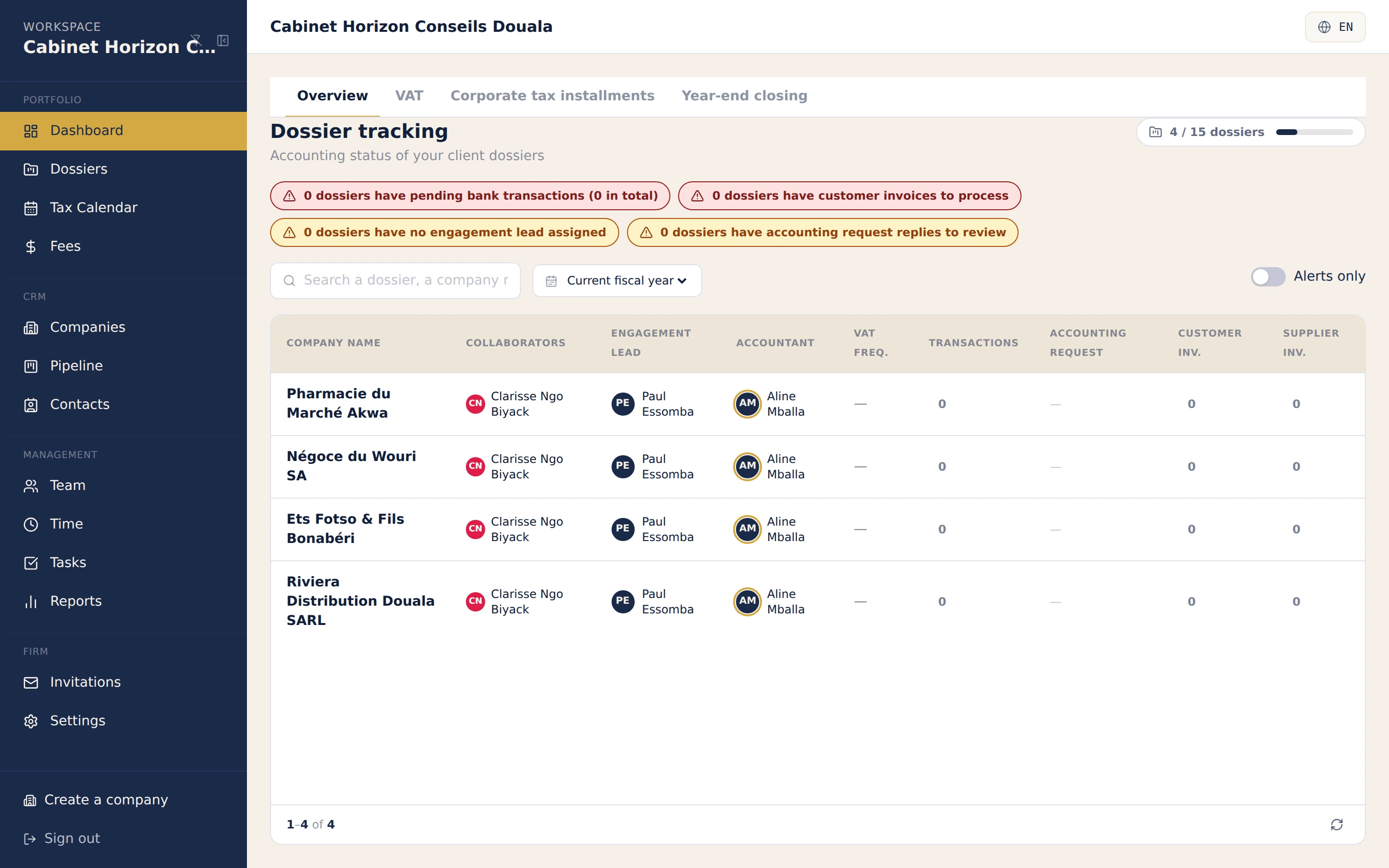
The consolidated cockpit shows the status, deadlines and reminders for your whole portfolio on a single screen. The OHADA fiscal calendar generates deadlines per folder, tasks and templates industrialise your recurring procedures (year-end, VAT, tax bundle), and switching from one folder to another is instant.
Each folder has a unique tenant_id and a PostgreSQL Row Level Security policy: it is technically impossible to access another folder's data, even in the case of an application bug. Isolation is enforced at three layers (middleware, application guard, database RLS) — the same rigour as NF203 compliance on the entries themselves.
As soon as your client captures or enters a piece in their folder, it appears on the firm side without refreshing the page (WebSocket synchronisation). Dashboards, trial balance and general ledger update live. You validate, and your client watches the status of their piece change.
Billing your firm's fees and tracking their payments is handled separately from client folders, in the same cockpit. No juggling between a separate invoicing tool and the accounting tool.
Yes. The mobile app lets them capture a piece, check the bank, match a transaction or review stock on the right client folder, on the move — with active-folder selection and per-folder roles. Offline mode queues actions and syncs when the network returns.
Yes. Accounting migration imports the trial balance and opening entries via a wizard (reusable column and account mapping), generates the opening balances and keeps a full import history. You move a folder off an old tool without starting from scratch.
A new folder is created with its own ready-to-use SYSCOHADA chart of accounts and invitation-only access — for your collaborators as well as the client, with distinct roles. No data from one folder is visible from another during onboarding.
Join the first accounting firms in the OHADA zone piloting every SYSCOHADA client folder from a single cockpit. 14-day free trial, no commitment, guided.