FIRM · INTERNAL MANAGEMENT
Steer the firm itself: time, fees, deadlines.
Timesheets, tasks and templates, fee billing, OHADA tax calendar and firm reports: the firm is a business too. You do not just steer your clients' accounting.
- SYSCOHADA revised 2019
- 17 OHADA countries
- Native XAF & XOF
- Bank + Mobile Money statement import
- Native FR & EN
- Financial statements export
Why steer your firm with SynkriaOps?
Steering the firm lives where the files live, not in a parallel spreadsheet nor an imported HR tool.
The firm is a business too
Your procedures, industrialised
Fees in the same tool
No deadline forgotten
All the firm's steering, in the same place as production
Time, fees, deadlines, the team and the firm's own accounting live in the same tool as your files. No data to copy from one spreadsheet to another.
Timesheets
Tasks and task templates
Firm fees
My accounting, the firm's own
OHADA tax calendar
Firm reports
Mission lead and team members
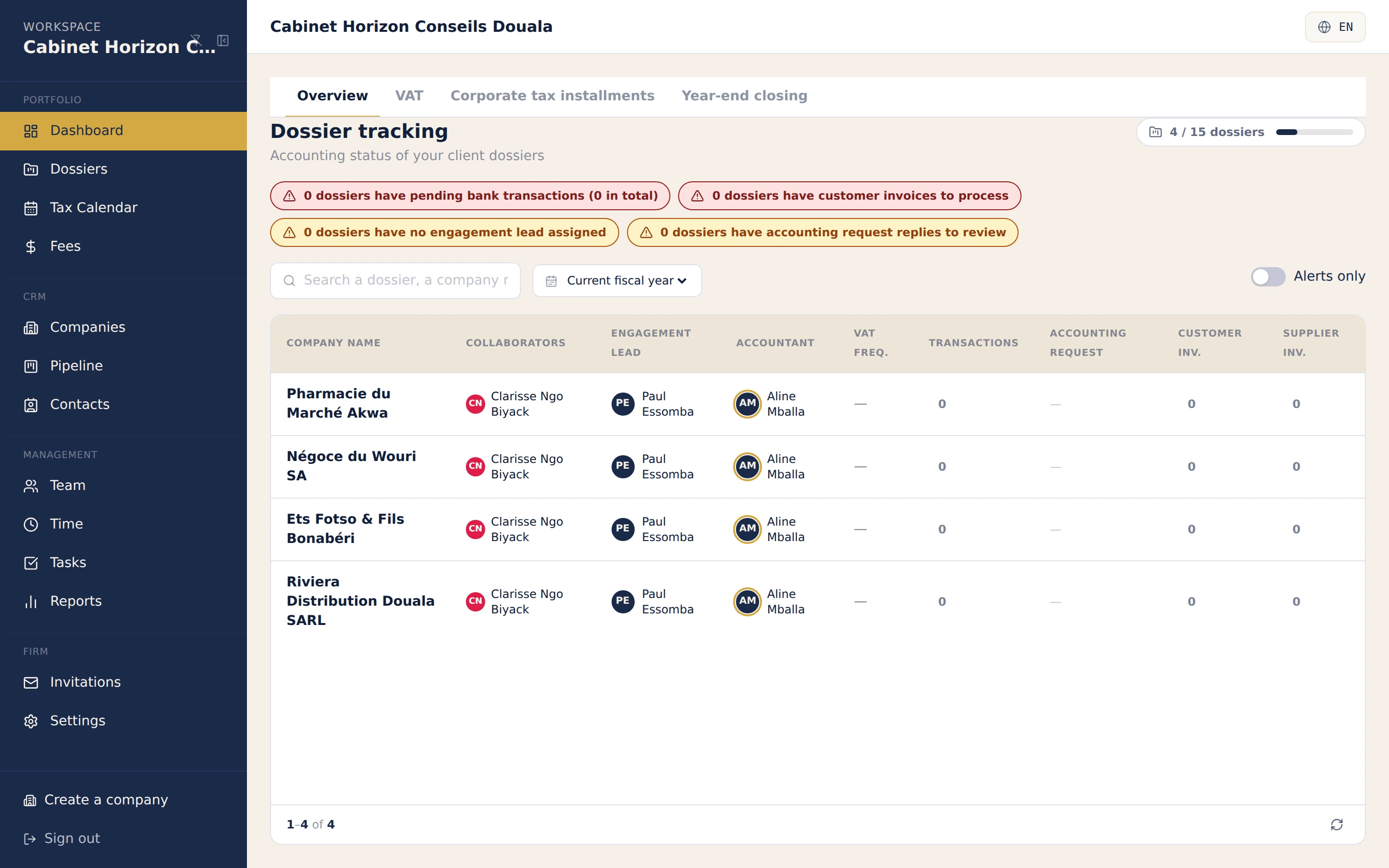
The firm, steered from one cockpit.
The state of the whole portfolio: the files up to date and the ones that need an intervention, on one screen.
Why trust us
SYSCOHADA notes generated automatically with your financial statements.
- SYSCOHADA revised 2019
- NF203 standard
- Full isolation between files
- FEC export
- Sealed, tamper-proof entries
Time, fees, deadlines: your questions
What firms ask us about steering their own structure.
How do I track time spent per team member?
Timesheets record the time entered by each team member, with a summary that consolidates activity. It is the basis of profitability tracking and occupancy rate, in the same tool as the files.
Can I standardise my recurring procedures?
Yes. Tasks and task templates are customisable: you create templates for your recurring procedures (closing, VAT, tax bundle) and replay them on each file instead of rewriting them every time.
How do I bill my fees and track payments?
The firm's fee billing is handled in the same cockpit as the files: creation, PDF generation, email sending and payment tracking. You do not juggle a separate billing tool and the accounting tool. If the firm has created its own accounting, every fee invoice is automatically posted on both sides: a validated supplier invoice at the client, a sales invoice at the firm — closing the zero-re-entry loop.
Can the firm keep its own accounting, not just its clients'?
Yes. The firm is a business too: "My accounting" opens it a dedicated file, in the same screens as its clients', for free. This space never appears in client files, and access is granted individually to each authorised team member.
Does the tax calendar cover my OHADA obligations?
The OHADA tax calendar generates deadlines per file and per year, and surfaces the ones coming up. You see at a glance what is due across the whole portfolio, file by file.
What steering reports are available?
Firm reports cover activity, profitability, team performance and occupancy rate, with PDF export. You steer the firm like a business, not just your clients' accounting.
How do I manage my team members' roles on each file?
Every file has a responsible mission lead (chef de mission), a referring chartered accountant and assigned team members, with access granted by invitation. A team member only sees the files they are attached to, with the rights granted to them.
Discover more features
Steering the firm connects with production and the client relationship.
Firm CRM and client portal
Multi-file accounting production
CEMAC VAT and tax
Chartered-accountant universe
Back to the firm universe.
Ready to steer your firm, not just your files?
14-day free trial, no credit card, supported by our team. Time, fees, deadlines and team in the same tool as accounting production.