Stock & inventory
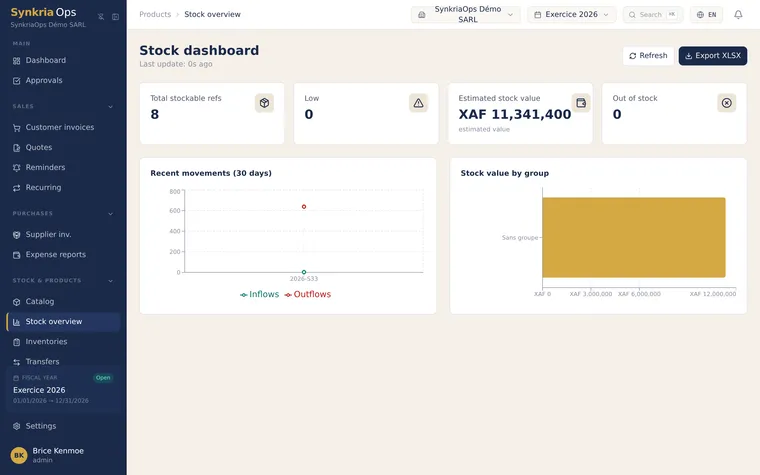
SynkriaOps doesn’t just record your sales: it tracks your stock quantities, values them at the weighted average cost (WAC), spreads your products across several stores, and links every movement to an accounting entry. That keeps the real value of your stock (class 3) always up to date, with no double entry.
Key concepts
Section titled “Key concepts”| Concept | What it is |
|---|---|
| Stockable product | A good whose quantity is tracked (as opposed to a service or a package). |
| Store | A storage location (warehouse, shop, back room). Stock is split store by store. |
| WAC | Weighted average cost — the average unit value recomputed on every inbound movement. |
| Movement | Any inbound, outbound, adjustment or inventory that changes the quantity. |
| Transfer | A traced move of stock from one store to another. |
| Inventory campaign | A periodic physical count, compared against theoretical stock. |
Where to start
Section titled “Where to start” Create a stockable product Product type, SKU, EAN-13 barcode, stock and sales accounts, VAT.
Stores & multi-warehouse Create your stores, set a main store and a stock keeper.
Movements & WAC valuation Understand inbound, outbound, adjustments and the weighted average cost calculation.
Inter-store transfers Move stock from one warehouse to another with validation and a transfer note.
Inventory campaigns & scanning Count physically, scan items and generate the variance entry.
Threshold alerts Minimum threshold, reorder point and maximum threshold so you never run out.
The link with accounting
Section titled “The link with accounting”Each valued movement can feed an entry: stock inbound (debit of a class 3 account), sale outbound, inventory variance. The total valuation of your stock stays consistent with the balance of your stock accounts on the balance sheet — that’s what sets real stock management apart from a mere quantity spreadsheet.