Invoices & reminders from mobile
The mobile app isn’t limited to viewing your invoices: you create them, you chase overdue ones, and you can even validate an accounting piece — the sales cycle closes on the phone.
View invoices
Section titled “View invoices”The invoice list offers four tabs: All, Unpaid, Overdue, Paid, each with a count, a search and infinite pagination.
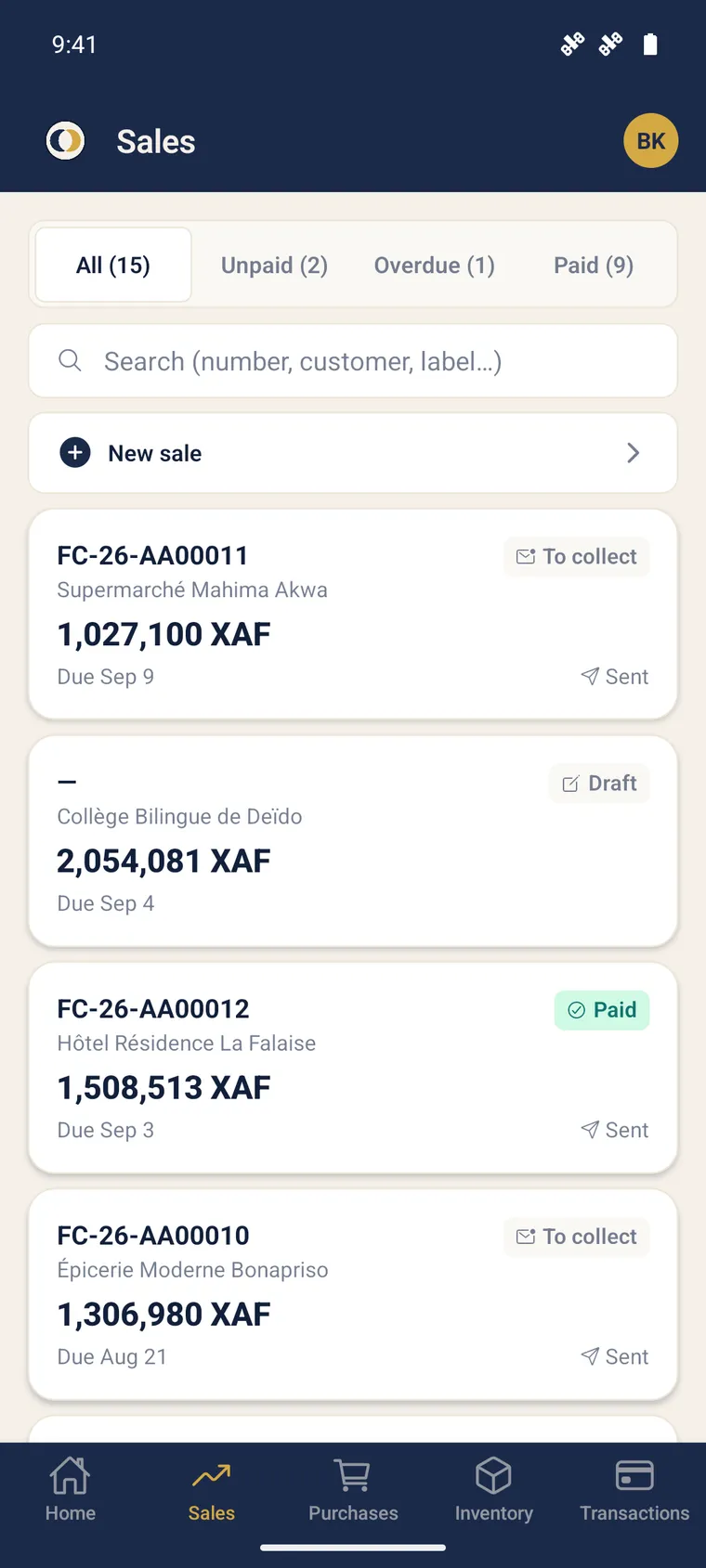
An invoice’s detail shows the amounts (excl. VAT / VAT / incl. VAT / deposit), the payment status, an overdue badge beyond 30 days, and the reminder history.
Create an invoice
Section titled “Create an invoice”-
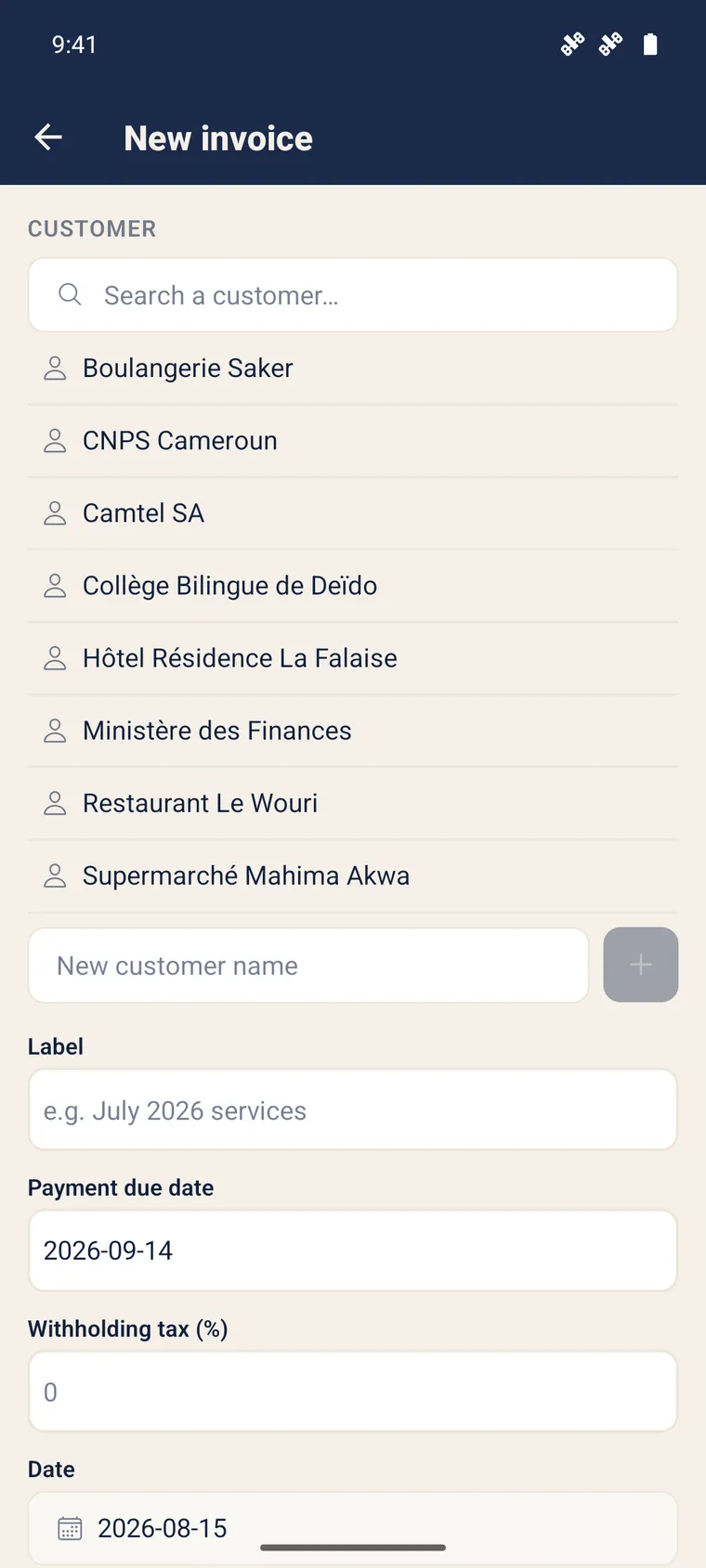
Tap the + at the top of the invoice list.
-
Select an existing customer, or create one on the fly (the 411 sub-account is created automatically).
-
Add the lines (description, quantity, unit price, VAT). The excl. VAT / VAT / incl. VAT totals compute live.
-
Save: the invoice is created as a draft and you are taken to the piece to validate it.
Chase an overdue invoice in a gesture
Section titled “Chase an overdue invoice in a gesture”On an overdue invoice (or from the Activity screen), tap Send reminder: after confirmation, the reminder goes out according to your configuration. The reminder history is updated.
Validate an accounting piece
Section titled “Validate an accounting piece”This is what closes the field → accounting loop. From the Pieces tab:
-
Open a piece with the draft status.
-
Check the entry schema (number, debit/credit lines).
-
Tap Validate (right required). The piece is sealed and the entry appears.
Further reading
Section titled “Further reading”- Create a customer invoice (web) — the full journey
- Automatic payment reminders — configure reminders
- Banking & reconciliation — collect the invoice