Posting and reversing an accounting entry
By the end of this guide, you will know what distinguishes a DRAFT voucher from a POSTED one — immutable, in line with SYSCOHADA revised 2019 (art. 24) and accounting integrity rules — and how to correct a posted voucher through a contra-entry (reversal).
DRAFT vs POSTED
Section titled “DRAFT vs POSTED”| Characteristic | DRAFT | POSTED |
|---|---|---|
| Modifying lines | Yes | No |
| Deletion | Yes (if never posted) | No |
| Numbering | Temporary (not yet assigned) | Final — VTE-2026-000001 |
| Appears in general ledger | No | Yes |
| Included in trial balance | No | Yes |
| Included in FEC export | No | Yes |
| Integrity seal | No | Yes |
What posting triggers
Section titled “What posting triggers”When you click Post, SynkriaOps executes three sequential operations that guarantee integrity:
1. Sequential numbering via pessimistic lock
Section titled “1. Sequential numbering via pessimistic lock”The number is assigned permanently at posting time. No number can be skipped or duplicated, even when several users post vouchers at the same moment.
Examples of generated numbers:
- Journal VTE →
VTE-2026-000001,VTE-2026-000002, … - Journal ACH →
ACH-2026-000001,ACH-2026-000002, … - Journal OD →
OD-2026-000007, …
2. Chained integrity seal
Section titled “2. Chained integrity seal”Each posted voucher receives an integrity seal computed from its content and the seal of the previous voucher in the file. Vouchers therefore form a chain: any later tampering attempt would break the chain and be immediately detectable.
3. Database-level locking
Section titled “3. Database-level locking”The amounts, accounts and dates of a posted voucher are locked at the database level itself. This protection applies even outside the application: no tool or direct access can modify a posted voucher.
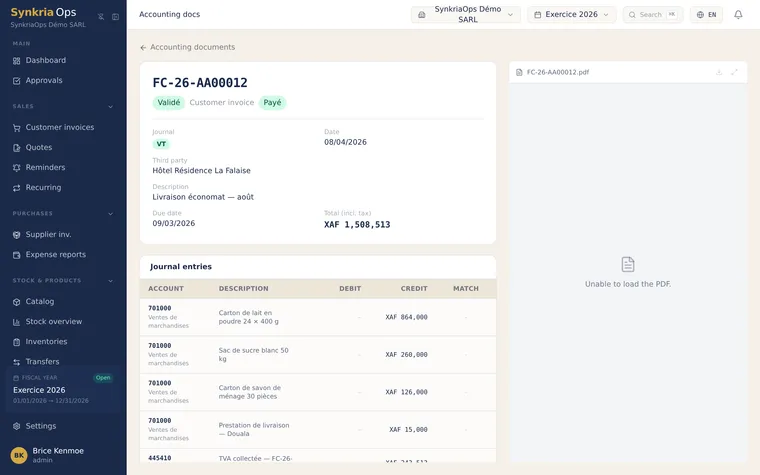
Correcting BEFORE posting (draft mode)
Section titled “Correcting BEFORE posting (draft mode)”While the voucher is in DRAFT status, correction is straightforward:
-
Go to Accounting → Vouchers, locate your draft.
-
Click the voucher to open it in edit mode.
-
Modify lines: amounts, accounts, labels, or add / remove lines.
-
Verify that total debits = total credits (the red banner disappears once balanced).
-
Click Save to keep the draft, or Post to finalise.
Correcting AFTER posting — the contra-entry
Section titled “Correcting AFTER posting — the contra-entry”A contra-entry (reversal) is a mirror entry: it uses exactly the same accounts and amounts, with debits and credits swapped. Both vouchers (original + contra-entry) coexist in the general ledger and offset each other.
When to create a contra-entry?
Section titled “When to create a contra-entry?”- Invoice posted with an incorrect amount
- Wrong general ledger account used
- Voucher posted to the wrong journal
- Duplicate entry
Steps to create a contra-entry
Section titled “Steps to create a contra-entry”-
Open the posted voucher to correct in Accounting → Vouchers.
-
Click Reverse (button at the bottom of the page or in the action menu).
-
Choose the reversal date:
- Same date as the original voucher (recommended if the error is in the same fiscal year)
- A later date (if the original fiscal year is closed)
-
SynkriaOps automatically creates a new DRAFT voucher with all signs swapped. Review the lines.
-
Click Post to definitively record the reversal. A number is assigned (e.g.
OD-2026-000012). -
If necessary, create the corrected voucher with the right information.
Worked example — reversing a sales invoice
Section titled “Worked example — reversing a sales invoice”Situation: you posted a sales invoice for XAF 1,500,000 excl. VAT + 19.25% VAT (XAF 288,750) = XAF 1,788,750 incl. VAT, but the client rejected the service.
| Account | Description | Debit | Credit |
|---|---|---|---|
| 411000025 | Customer SOTRANB | 1 788 750 | |
| 701000 | Sales — Services | 1 500 000 | |
| 4431 | Output VAT 19.25% | 288 750 | |
| Totals Balanced entry | 1 788 750 | 1 788 750 XAF | |
| Account | Description | Debit | Credit |
|---|---|---|---|
| 701000 | Sales — Services (reversal) | 1 500 000 | |
| 4431 | Output VAT 19.25% (reversal) | 288 750 | |
| 411000025 | Customer SOTRANB | 1 788 750 | |
| Totals Balanced entry | 1 788 750 | 1 788 750 XAF | |
After reversal, the net balance of account 411000025 for this transaction = 0. The customer owes nothing.
Common errors
Section titled “Common errors”| Error | Cause | Solution |
|---|---|---|
| ”Posted voucher — edit not allowed” | Attempting to edit a posted voucher | Create a contra-entry instead |
| ”Fiscal year closed — posting not allowed” | Date falls in a closed year | Change the date or request reopening (ADMIN) |
| “Debit ≠ Credit” | Unbalanced voucher | Add or correct a line |
| ”No fiscal year found for this date” | Date outside any open fiscal year | Check fiscal years in Settings → Fiscal years |
| ”Number already in use” | Numbering conflict (rare) | Retry — the pessimistic lock resolves automatically |